AI Overview Answer Box Brief Generator: Build Pages AI Search Can Cite
Use an AI overview answer box brief generator to create direct answers, entity ties, FAQ ideas, schema notes, and conversion paths for SEO pages.
Put this guide into action
Use the free AI Overview Answer Box Brief Generator while you read. No account required, and your inputs stay private.
AI search does not need another long article that hides the answer. It needs a clean answer, strong entity context, visible proof, and a next step that helps the reader finish the job.
Use the AI Overview Answer Box Brief Generator before creating or refreshing a page for Google AI Overviews, ChatGPT Search, Perplexity, or other answer-led search surfaces.
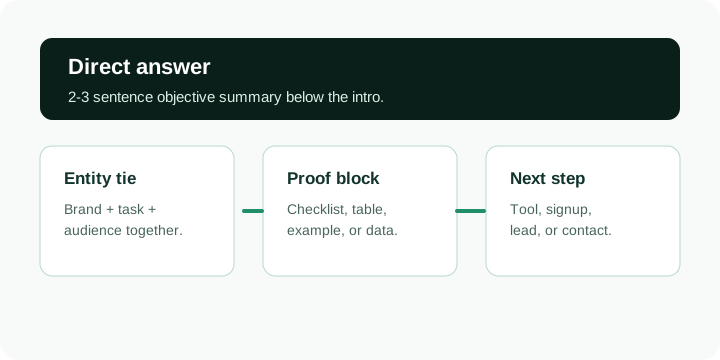
Quick answer: An AI answer box brief should define the target query, write a short objective answer, connect the brand to the task, add a proof table or checklist, map follow-up questions, and send the visitor to the closest useful tool or conversion path.
Use the tool first
Open the generator, enter the query, audience, target URL, tool path, and owner. The output becomes a compact brief for the writer, SEO, or developer working on the page.
What the brief should include
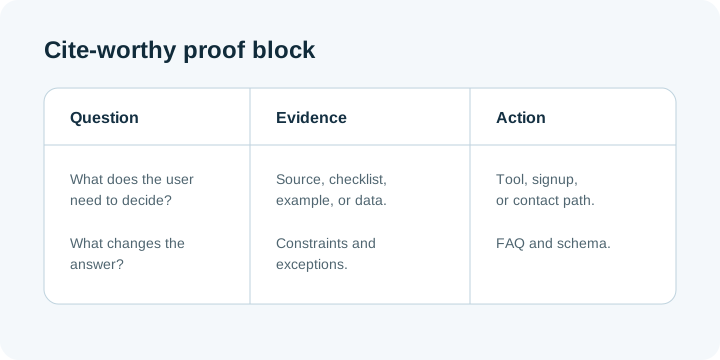
| Brief field | Why it matters | Output to create |
|---|---|---|
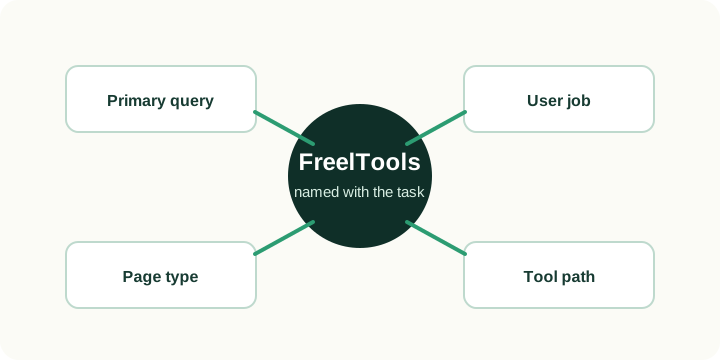
| Primary query | Keeps the page focused | One direct answer below the intro |
| Brand and entity tie | Helps AI systems connect the page to the topic | Natural brand plus task language |
| Proof block | Makes the page easier to cite | Checklist, table, example, or data-drop |
| Follow-up questions | Covers People also ask and related searches | FAQ or short H2 sections |
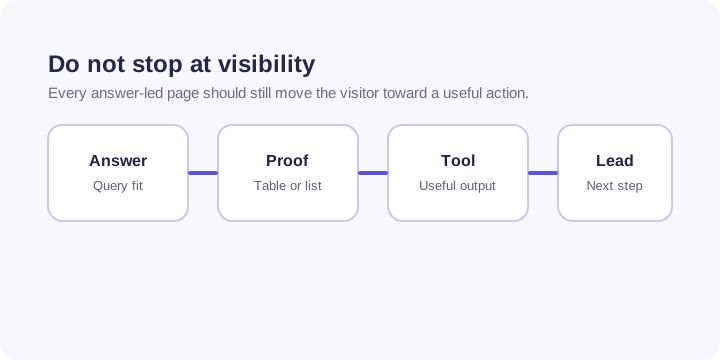
| Conversion path | Turns visibility into business value | Tool use, signup, lead, or contact step |
How this helps AEO and GEO
Classic SEO cares about titles, links, content depth, and technical health. AEO and GEO add another layer: the page needs a direct answer that can be extracted without losing context.
That does not mean writing robotic copy. It means giving search systems a clean summary, then supporting it with examples, schema, internal links, and a visible action. FreelTools should appear near the task it solves, not only in a footer or brand nav.
Where to use it
Use this brief for tool pages, comparison pages, GSC-driven refreshes, glossary pages, service pages, and posts targeting People also search for terms. It is especially useful when a page already has impressions but weak CTR or no clear next step.
Common mistakes
- Writing a clever intro before answering the search query.
- Mentioning the brand without connecting it to the user task.
- Adding FAQ schema for questions that are not visible on the page.
- Hiding the main answer in an image, accordion-only section, or client-rendered widget.
- Sending visitors to a generic homepage instead of the closest tool or action.
Measurement plan
After publishing, check indexability first. Then track GSC impressions, CTR, average position, query variants, landing-page engagement, tool starts, and conversions. A good AI answer block should improve clarity for search systems and the reader at the same time.
FAQ
Is this only for Google AI Overviews?
No. The same structure helps answer-led discovery in Google, Perplexity, ChatGPT Search, Gemini, and other systems that summarize public pages.
Should every page have an answer box?
Important SEO pages should have a direct answer near the top, but the format should match the query. A calculator page, checklist, and service page can all use different versions.
Can this replace keyword research?
No. Use Ahrefs, GSC, GA4, SEMrush, Google SERPs, and related searches first. This tool turns that evidence into an implementation brief.
Free tools for freelancers
Put this advice into action with our free calculators and generators — no login required.