GSC Indexing Issue Triage Planner: Fix Redirects, Duplicates, and 404s Safely
Use a GSC indexing issue triage planner to decide which redirect, duplicate, 404, canonical, and discovered-not-indexed issues need action first.
Put this guide into action
Use the free GSC Indexing Issue Triage Planner while you read. No account required, and your inputs stay private.
Google Search Console indexing alerts can look scary, but not every excluded URL is a real problem. Some redirects and canonical alternates are intentional. The job is to separate normal exclusions from URLs that should be crawled, indexed, and earning traffic.
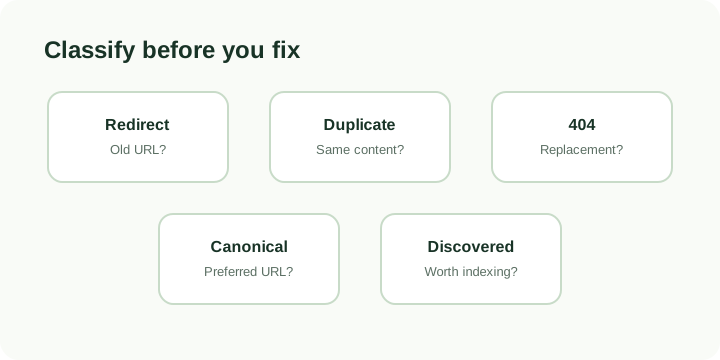
Use the GSC Indexing Issue Triage Planner when GSC reports page with redirect, duplicate without user-selected canonical, not found, alternate canonical, or discovered currently not indexed.
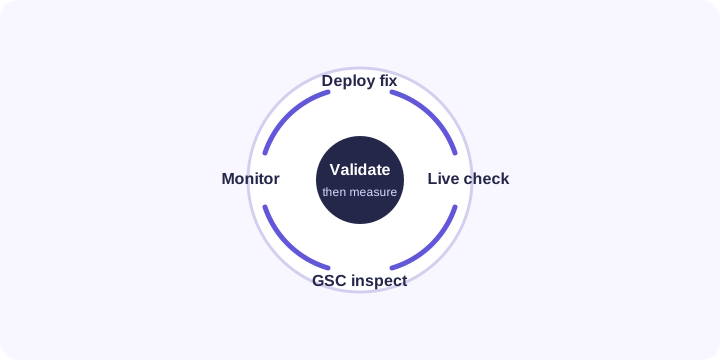
Quick answer: A GSC indexing issue triage plan should classify the URL, check live status, decide whether the page should be indexed, fix the pattern behind the issue, update the sitemap or canonical path, and validate in GSC after the live page is correct.
Use the tool first
Open the planner, add the issue reason, example URL, evidence source, owner, and business impact. The generated plan gives you a safe order of operations before anyone changes redirects or asks Google to inspect the page.
What to check before fixing
| GSC reason | Often normal when | Needs action when |
|---|---|---|
| Page with redirect | Old URL points cleanly to the preferred page | Sitemap or internal links still point at the old URL |
| Duplicate without canonical | Google found a duplicate variant | The intended page lacks a clear canonical |
| Alternate with canonical | Duplicate is intentionally consolidated | The canonical points to the wrong page |
| Not found 404 | Deleted URL has no replacement | Valuable URL has links, traffic, or demand |
| Discovered not indexed | Google found the URL recently | Important page is thin, orphaned, or missing from sitemap |
Safe fix order
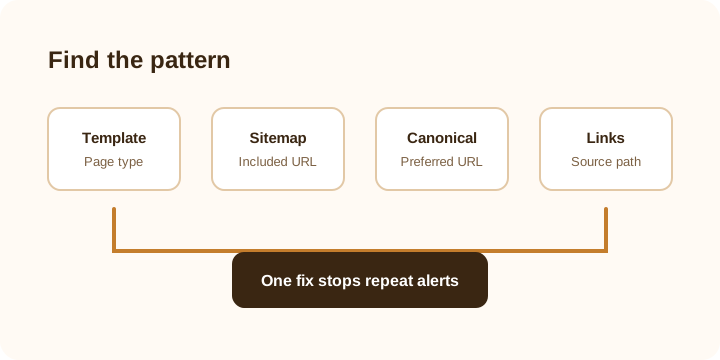
Start with business-critical URLs: signup pages, tools, service pages, money pages, top-click articles, and pages with backlinks. Then fix template-level issues so the same problem does not come back tomorrow.
For example, if several blog URLs are showing as duplicates, do not edit one page and stop. Check the canonical component, sitemap generator, pagination path, tag pages, and internal links.
What not to do
Do not request indexing for redirected URLs. Do not disavow links because an indexing alert appeared. Do not delete pages that still satisfy a search need. Do not canonicalize everything to the homepage. And do not treat GSC exclusions as a failure until you know whether the excluded URL is supposed to rank.
Useful companion tools
- GSC Insights Refresh Planner
- Low CTR Page Refresh Planner
- Ahrefs Content Gap Brief Generator
- Backlink Risk Review Checklist
Measurement plan
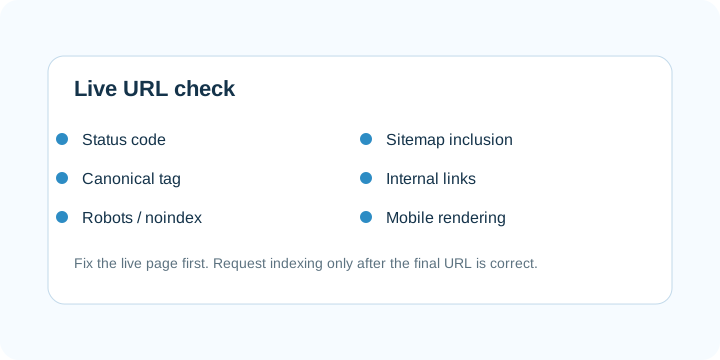
After fixing the live page, confirm status code, canonical, robots, sitemap inclusion, internal links, title, and mobile rendering. Then validate in GSC and watch indexed pages, affected URLs, impressions, clicks, and query coverage over the next 7 to 28 days.
FAQ
Are all page with redirect alerts bad?
No. A redirected old URL is often healthy. It becomes a problem when the site keeps linking to the old URL or puts it in the sitemap.
Should duplicate pages always be indexed?
No. The goal is usually to make the correct canonical page stronger, not to force every duplicate into the index.
Can this planner fix GSC automatically?
No. It creates a safe triage plan. You still need to check the live URL, update the site, deploy, and validate in GSC.
Free tools for freelancers
Put this advice into action with our free calculators and generators — no login required.