GSC Indexing Issues Fix Workflow: Redirects, Canonicals, and Not Indexed Pages
Use a practical workflow to classify and fix Search Console indexing issues such as page with redirect, duplicate canonical, and discovered currently not indexed.
Put this guide into action
Use the free GSC Indexing Issue Triage Tool while you read. No account required, and your inputs stay private.
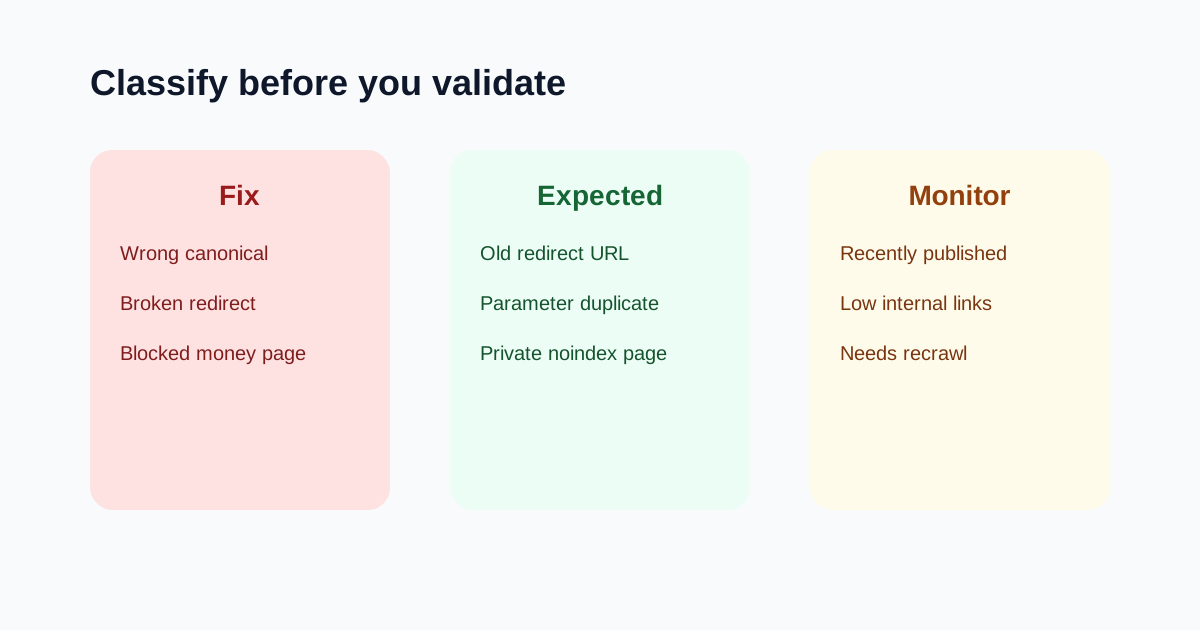
Search Console indexing emails can look scary because they list reasons pages are not indexed. Not every row is a problem. A redirected old URL, a deliberate duplicate, or a noindex private page can be expected. The work is to classify the issue before changing the website.
Use the GSC Indexing Issue Triage Tool as you review each URL. Then use the Robots Meta Tag Checker, Canonical Tag Checker, Redirect Chain Checker, and XML Sitemap Generator to confirm the live signals.
Quick answer
To fix GSC indexing issues, first decide whether the affected URL should be indexed. If yes, check the live status code, canonical URL, robots directives, sitemap URL, internal links, and content quality. Fix those signals before requesting validation. If the URL is intentionally redirected, duplicated, or noindexed, document it as expected instead of forcing validation.
The three-lane triage
| Lane | Use it when | Example |
|---|---|---|
| Fix | A valuable page is blocked, redirected wrong, duplicated, or missing quality signals | A new tool page canonicalizes to the homepage |
| Expected | The URL should not be indexed | Old URL redirects to the new canonical page |
| Monitor | The page is new or recently improved and needs crawl time | A new article has sitemap and links but is discovered not indexed |
Page with redirect
This is often expected. If /old-tool-name redirects to /tools/new-tool-name, Google should index the final page, not the old URL. The fix is only needed when internal links, sitemap URLs, or canonical tags still point at the redirected URL.
Duplicate without user-selected canonical
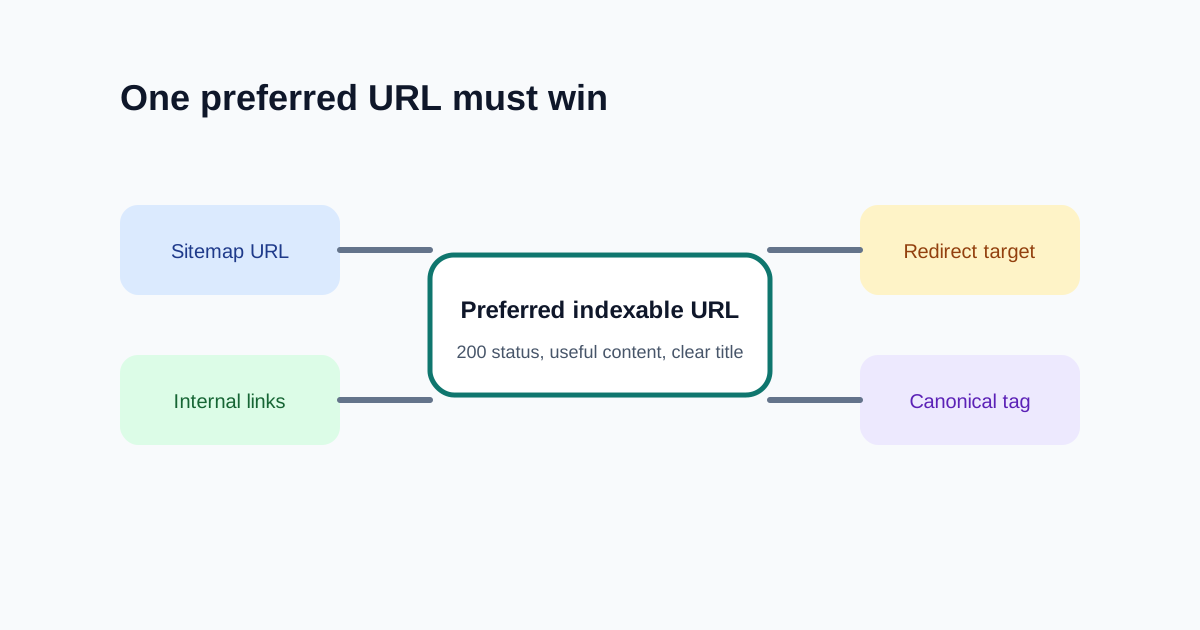
This means Google found similar URLs and your site did not make the preferred URL clear enough. The usual fix is not more content first. The usual fix is signal alignment: self-referencing canonical on the preferred page, internal links to the preferred URL, sitemap using the preferred URL, and redirects from obvious duplicates when appropriate.
Discovered currently not indexed
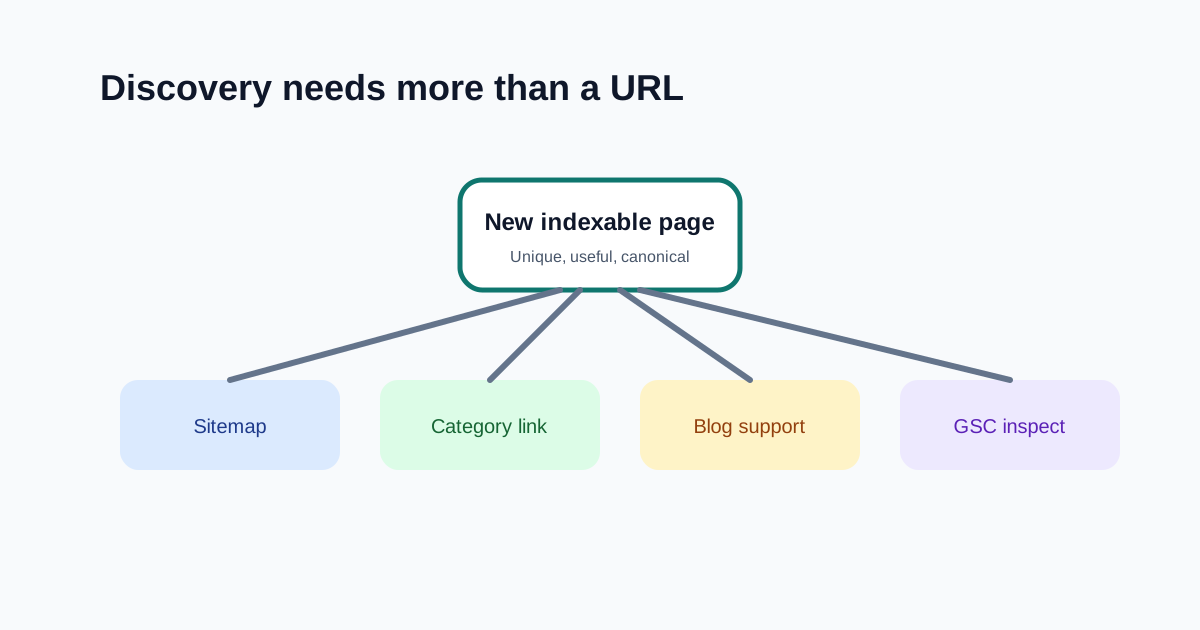
This can happen when Google knows about a URL but has not crawled or indexed it yet. For new pages, monitor after improving discovery. For important pages, strengthen the content, add internal links, ensure sitemap inclusion, and confirm the page returns a clean 200.
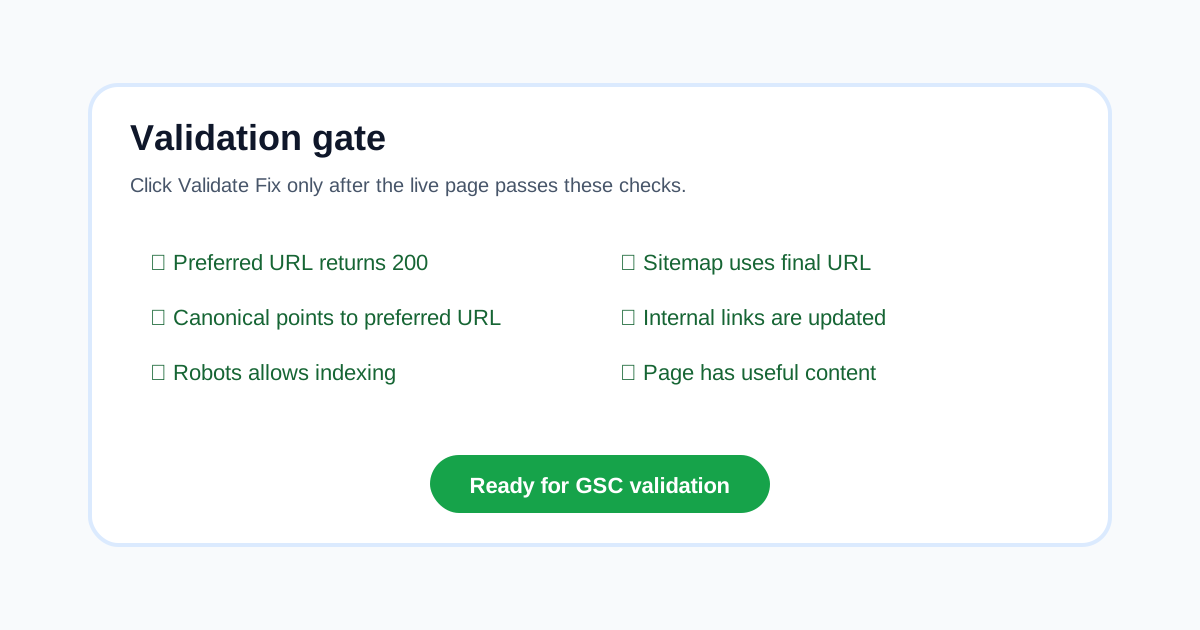
Live checks before validation
- The preferred URL returns
200. - The canonical points to the preferred URL.
- Robots meta and headers do not block indexing.
- Sitemap includes the preferred final URL, not a redirect.
- Internal links point to the preferred URL.
- The page is useful enough to deserve indexing.
Best next tools
- GSC Indexing Issue Triage Tool to classify each issue.
- Robots Meta Tag Checker to catch accidental noindex or nofollow.
- Canonical Tag Checker to align duplicates.
- Redirect Chain Checker to shorten or repair redirect paths.
- On-Page SEO Checker to confirm the page itself is worth indexing.
FAQ
Is page with redirect always bad in GSC?
No. It is expected when an old URL redirects to the correct final URL. It becomes a problem when the redirected URL is still in the sitemap or internal links, or when the final target is wrong.
Should I validate every indexing issue?
No. Validate only after real fixes. Expected exclusions should be documented and monitored rather than repeatedly submitted.
How do I fix duplicate without user-selected canonical?
Choose the preferred URL and align signals around it: canonical tag, sitemap entry, internal links, redirects, and unique visible content.
What if a new page is discovered but not indexed?
Improve internal links, make sure it is in the sitemap, verify live status and indexability, and strengthen the page so it clearly satisfies a useful search intent.
Free tools for freelancers
Put this advice into action with our free calculators and generators — no login required.