SEO Title CTR Optimizer: Refresh Low-Click Pages from GSC
Use a GSC-backed SEO title CTR optimizer workflow to refresh titles and meta descriptions on pages with impressions but weak clicks.
Put this guide into action
Use the free SEO Title CTR Optimizer while you read. No account required, and your inputs stay private.
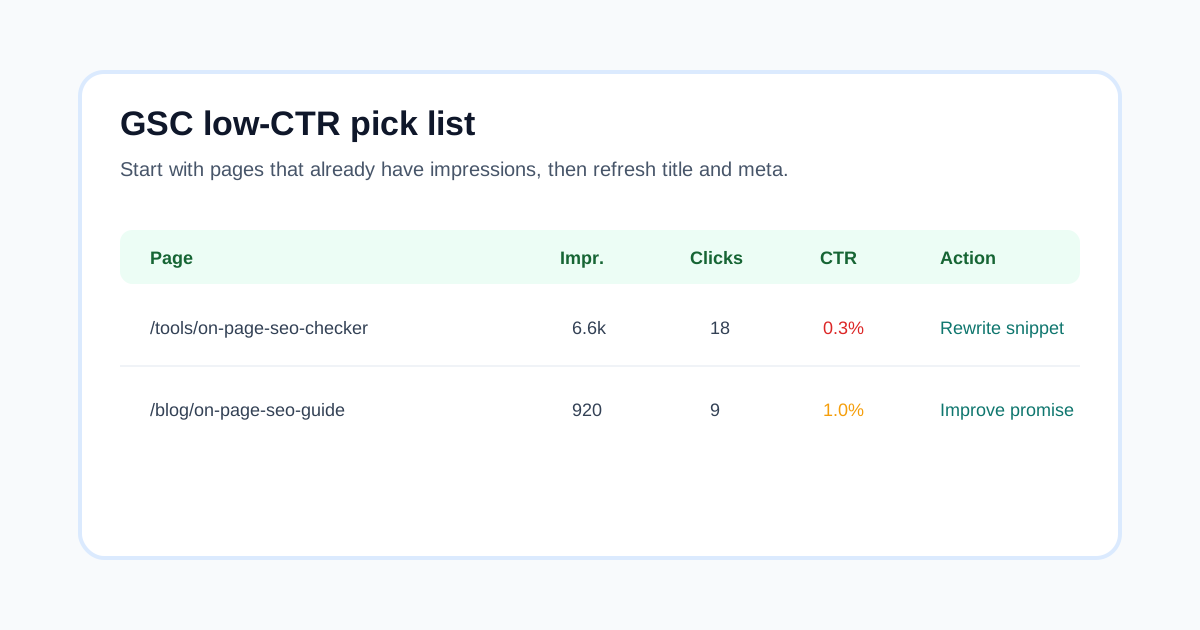
Pages that already get impressions in Google Search Console are often the fastest SEO wins. If the page is being shown but barely clicked, the first job is not another article. The first job is to improve the search snippet and make the page promise easier to choose.
Use the SEO Title CTR Optimizer while you read. Then run the SERP Snippet Preview Tool, Meta Description Checker, and On-Page SEO Audit Tool before you update the live page.
Quick answer
An SEO title CTR optimizer helps refresh pages that already have search impressions but low clicks. Pick a GSC query/page pair, rewrite the title around the searcher job, support it with a specific meta description, keep the promise truthful to the page, and measure CTR after Google refreshes the snippet.
When to use this workflow
Use this workflow when Search Console shows a page getting impressions but the title and meta description do not clearly explain why the result is worth clicking. This is strongest for pages in average positions where a better snippet can realistically improve traffic without changing the entire content strategy.
Do not use it as clickbait. If the title promises something the page does not deliver, the page may earn a few curious clicks and then disappoint users. The safer refresh is to improve clarity, specificity, and match with the visible content.
Decision table
| Signal in GSC | What it means | Best next action |
|---|---|---|
| High impressions, low CTR | Google is testing or showing the page, but the snippet is weak | Rewrite title and meta around the query |
| Low impressions, low CTR | The page may not have enough demand or enough relevance | Recheck intent and internal links first |
| Good CTR, poor position | Snippet may be fine, but content or authority is weak | Improve page depth and links |
| Many queries, mixed intent | The page is too broad or unclear | Split sections or reposition title |
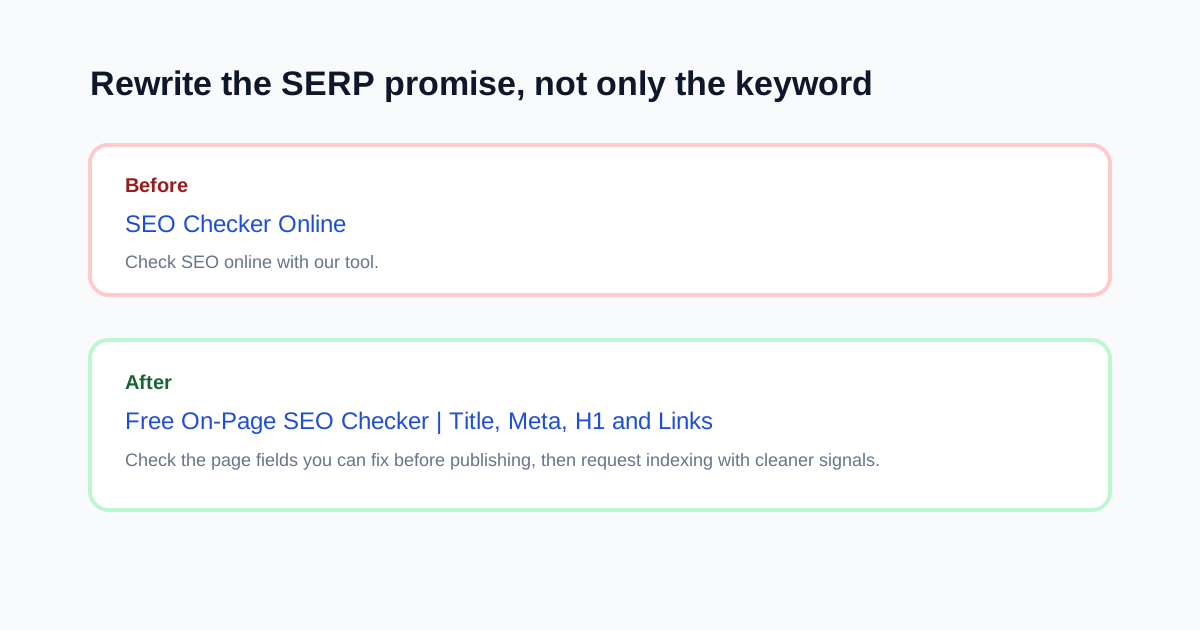
A 7-step refresh process
- Open GSC Performance and choose a page with impressions.
- Sort queries by impressions, then note the query with weak CTR.
- Compare the current title against the actual searcher job.
- Rewrite the title so the outcome appears early.
- Rewrite the meta description to explain what the page lets the visitor do.
- Preview the result on mobile and desktop.
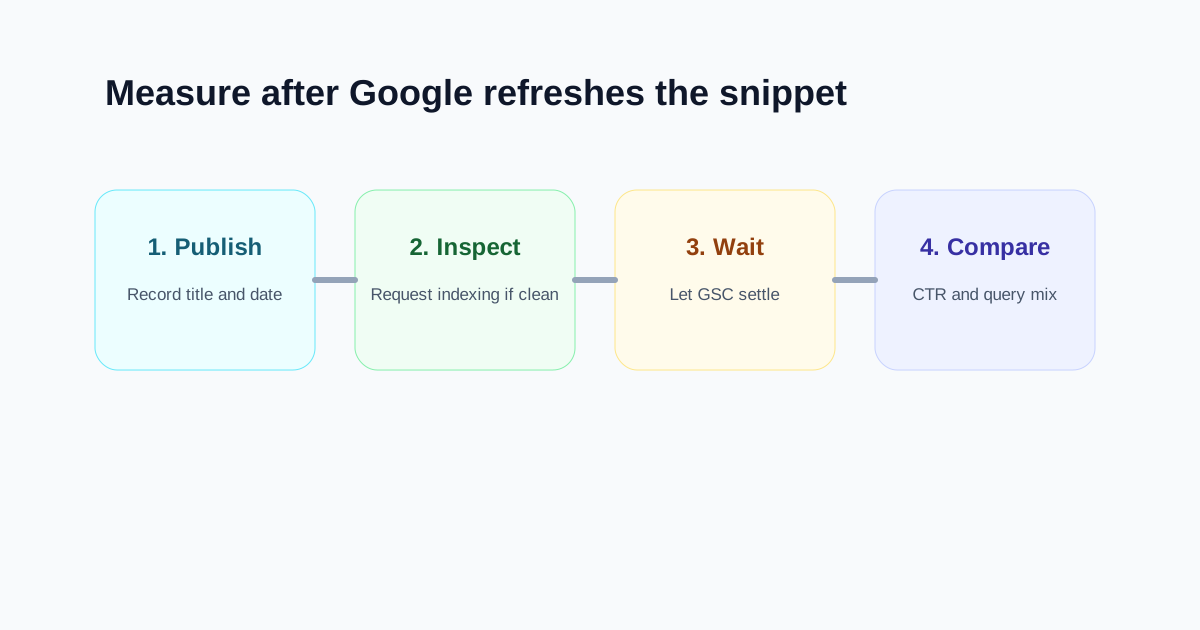
- Publish, inspect the URL, and compare CTR after recrawl.
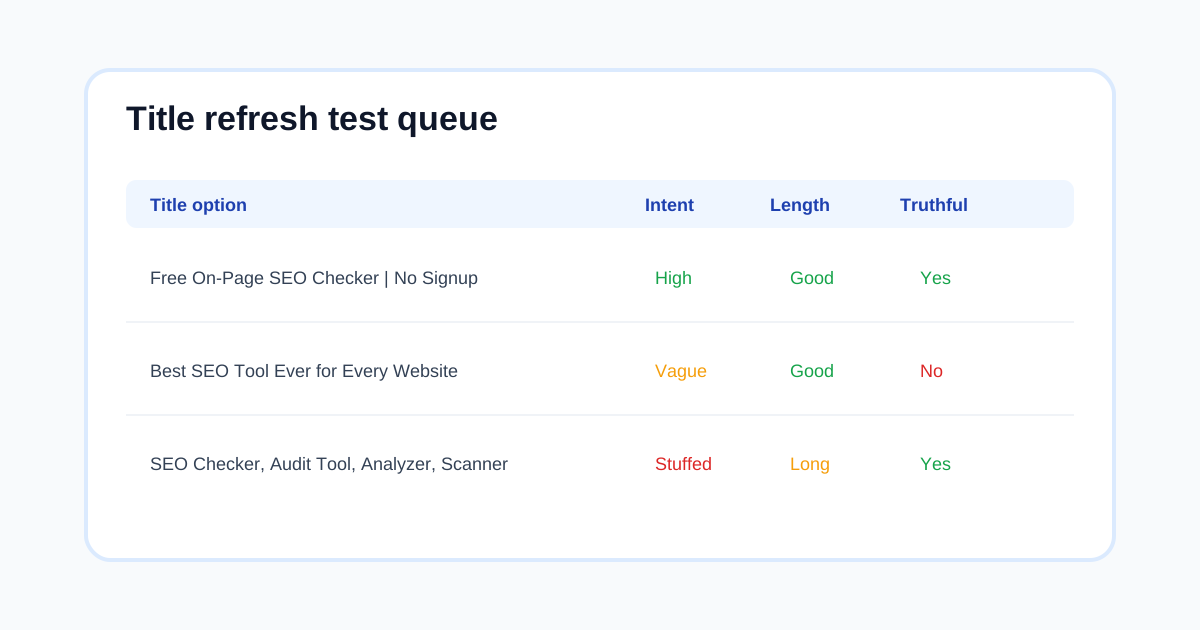
Title patterns that stay useful
The best title is usually simple. It names the task, clarifies the free or practical angle when true, and avoids stuffing every variation into one line.
| Weak pattern | Better pattern |
|---|---|
| SEO Checker Online | Free On-Page SEO Checker | Title, Meta, H1 and Links |
| Best Tool Ever | Free SEO Audit Tool for Page-Level QA |
| SEO Checker, Analyzer, Scanner | On-Page SEO Checker Before Publishing |
Meta description checklist
- Say what the user can do on the page.
- Mention the main check, calculator, or workflow.
- Avoid fake guarantees such as guaranteed rankings.
- Keep the first clause useful even if Google truncates it.
- Match the visible page so the click does not feel misleading.
How to measure the result
Give Google enough time to recrawl and refresh the snippet. Then compare the same page and query set against the previous period. The main measure is not one-day movement; it is whether the page earns more qualified clicks from the query it already appeared for.
Best next tools
- SEO Title CTR Optimizer for the refresh workflow.
- SERP Snippet Preview Tool to see title and meta together.
- Meta Description Checker to tighten the supporting copy.
- Internal Link Anchor Text Checker when the page needs stronger links.
- GSC Indexing Issue Triage Tool when Search Console also reports index coverage problems.
FAQ
Does changing the title improve rankings?
Changing the title does not guarantee rankings. It can improve relevance and click behavior when the new title matches the query and the page actually satisfies the promise.
How often should I change SEO titles?
Do not change titles randomly. Refresh when GSC shows enough impressions to learn from, when the current title is vague, or when the page has been materially updated.
Should I include the exact keyword?
Use the query naturally when it helps the title describe the page. Do not force every variation into one title.
What should I do after publishing the new title?
Run a live QA check, confirm the canonical page is indexable, inspect the URL in GSC when available, and compare CTR after Google refreshes the result.
Free tools for freelancers
Put this advice into action with our free calculators and generators — no login required.